一、安装Fcitx5
sudo apt update
sudo apt install fcitx5
sudo apt install fcitx5-chinese-addons
二、启动Fcitx5并配置
fcitx5 &
fcitx5-configtool
三、将Pinyin选中加入group后即可选择输入法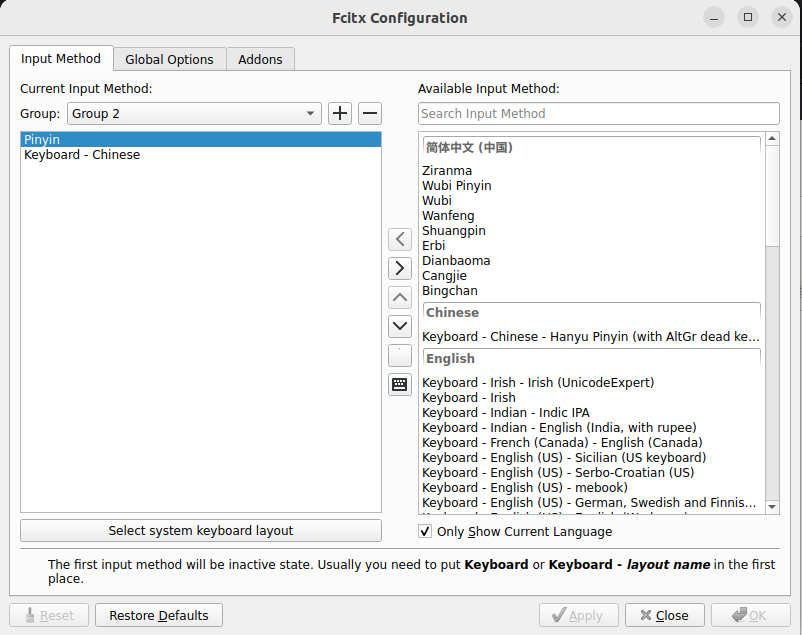
/home/li/Downloads/1.png

一、安装Fcitx5
sudo apt update
sudo apt install fcitx5
sudo apt install fcitx5-chinese-addons二、启动Fcitx5并配置
fcitx5 &
fcitx5-configtool三、将Pinyin选中加入group后即可选择输入法
/home/li/Downloads/1.png
info 还没有任何评论,你来说两句呐!